 MonitorLayout
The problem it solves
If you use a laptop with a dock and extra monitors, you know the routine. You plug in, and your email ends up on the wrong screen, the browser is squished onto the laptop, and you spend the first few minutes dragging everything back where it belongs. Unplug, and it all piles onto one screen.
MonitorLayout writes down the size and position of every window you have open, and puts them all back later. Set things up the way you like once, save it, and restore it whenever Windows scatters them.
How it works
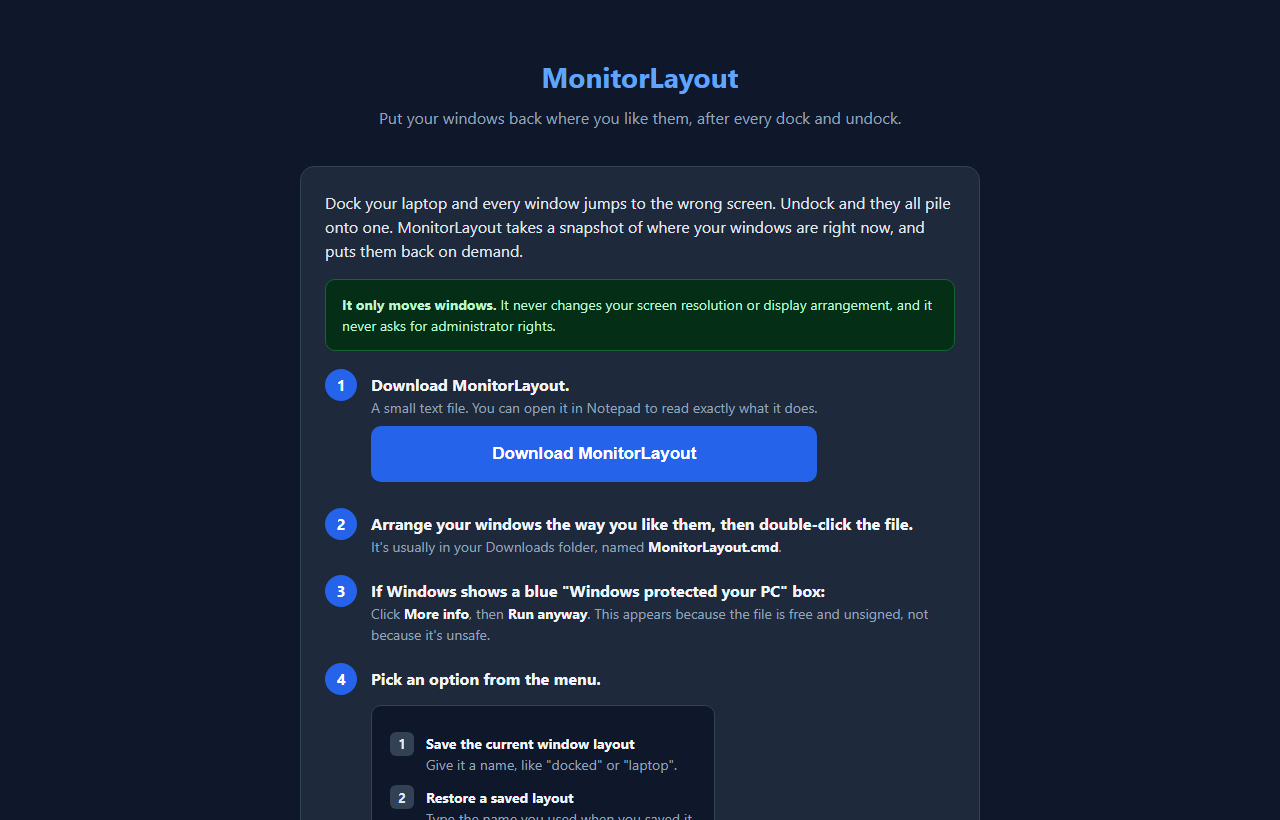
- Download MonitorLayout. You get one small file, MonitorLayout.cmd. It's plain text, so you can open it in Notepad and read exactly what it does.
- Arrange your windows the way you like them, then double-click the file.
- Choose 1 to save. Give the layout a name you'll recognize, like docked or laptop.
- Next time things scatter, run it again and choose 2. Type the name you saved, and the windows go back to their saved spots. It prints what it restored and what it skipped.
- Choose 3 any time to open the folder where your layouts are stored.
What it does and doesn't touch
It only moves application windows. It does not change your screen resolution, your display arrangement, or which monitor is the main one. It never asks for administrator rights, and nothing keeps running in the background.
Positions are saved relative to the monitor each window was on, not as raw desktop coordinates. So a layout still lands correctly when a monitor is in a different position or at a different scaling percentage. If a saved monitor is gone entirely, those windows land on your main screen instead of vanishing off the edge.
Why some windows get skipped
MonitorLayout would rather skip a window than move the wrong one. Three things cause a skip:
The program isn't open. Start it, then restore again. The program runs as administrator. Windows doesn't let a normal program move those, as a security rule. The title changed a lot. Windows are matched by the program first, then the title, so a different document in the same app may not match.
About the Windows warning
Because the file is free and unsigned, your browser may say it "isn't commonly downloaded" (choose Keep), and Windows may show a blue "Windows protected your PC" box. Click More info, then Run anyway.
The download page also has a Show me exactly what this runs button, so you can read the whole thing before you ever download it.
Why I ask for your email
The sign-up unlocks the download in this browser. You only do it once per browser.
It has nothing to do with your windows or layouts. MonitorLayout runs entirely on your computer. Your layouts are saved as small text files in %APPDATA%\MonitorLayout on your own PC, and nothing is uploaded.
I might send you a note now and then about other free tools I build. I will never sell or give your email to anyone else.
Questions people ask
Is it really free?
Yes. No subscription, nothing to install.
Does it work on a Mac?
No. It's for Windows PCs. Open the page on the Windows computer whose windows you want to arrange.
Do I need to keep the file running?
No. It saves or restores and then it's done. Nothing runs in the background. Keep the file somewhere handy so you can run it again.
Can I have more than one layout?
Yes, as many as you like. A common pattern is one named docked and one named laptop.
How do I remove it?
Delete MonitorLayout.cmd and the folder %APPDATA%\MonitorLayout. Nothing else is written to your PC.